Turn a mail from your band leader into a gig list in a few seconds only.
Choose "New Setlist…" → Create from → "Text…" from the context menu and let Fantom Set List Buddy guide you through the most wonderful import ever. Ever! This is why this app was initially created!
Fantom Set List Buddy matches the text line by line with Songs, then scenes that are already in your set lists, and then browses all Fantom scenes for matching names to the songs requested. It strips trailing run times such as (3:45) and a trailing - Artist credit so short Fantom scene names can still match long bandleader lines. Headers like Set 1 / Encore stay as set markers.
On Set Lists, tap New or "New Setlist…", then Create from → "Text…".
2
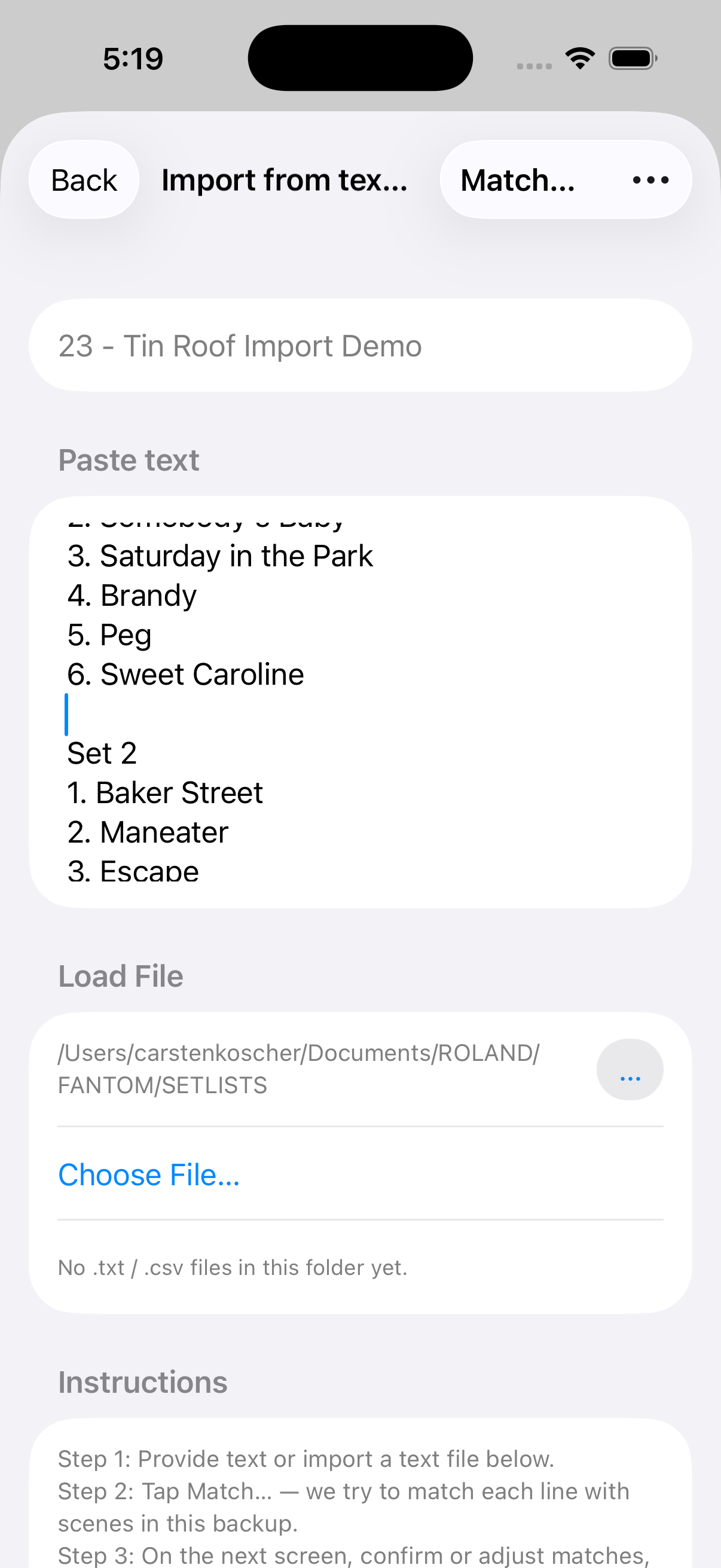
Write in, Paste Text (e.g. from an Email), or import a Text File
Name the set list, then paste the set list into the Paste text section or just write the set list down on your own. Alternatively, tap "Choose File…" to import a .txt or .csv file. Then tap "Match…". Match only scenes already in setlists narrows the search; turn it off to search all 512.
3
Matching… Made in Heaven…
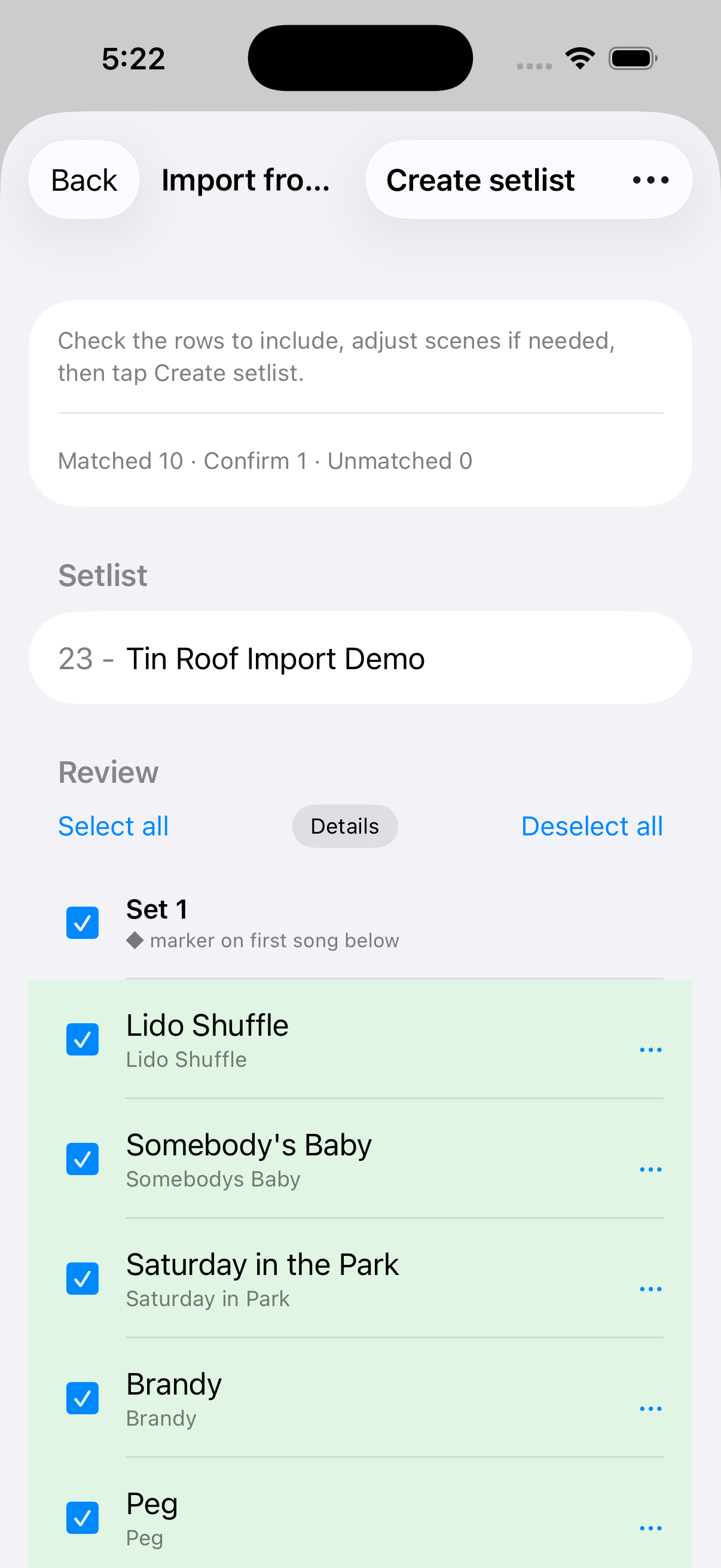
The matching algorithm in the app tells you via the color of each line how confident it is. Green means it is confident it has a match, amber should make you look twice if it’s the right one really, and for grey lines it has not found a match. For each line, tap More on the right (the same actions are also on the row context menu) for "Select Scene/Song…" (picker opens on Scenes), "Insert Set Marker…" (Above / Below — or This Line on an empty New song row), "Insert Empty Line…", and "Use as Set List Name". Set markers become ◆ labels on Create so Automated Set Detection can number your sets.
4
Create setlist — done
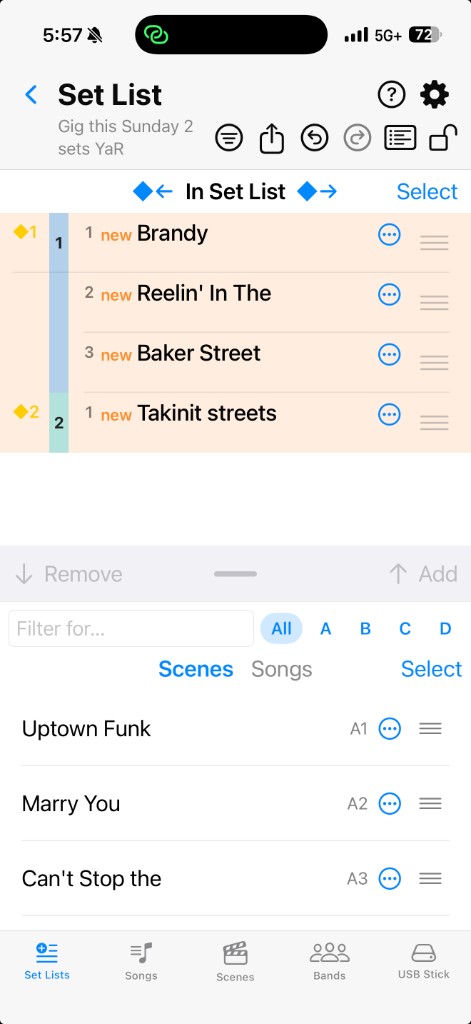
Tap "Create setlist". The editor opens on your new gig list. Rows just added show a short new badge; set markers from the review stay in place so Automated Set Detection can number the sets on the color rail.
 New or , then Create from → .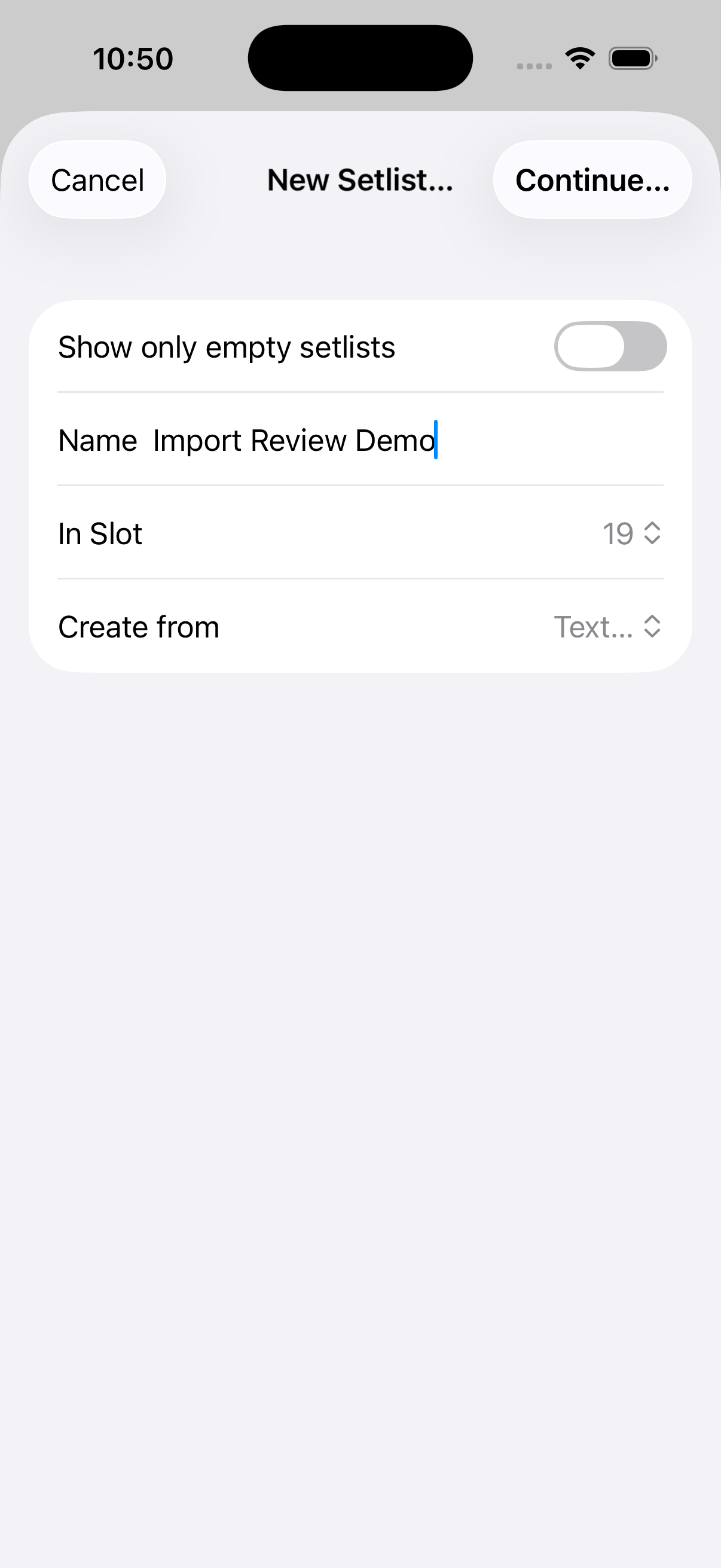
 More on the right (the same actions are also on the row context menu) for (picker opens on Scenes), (Above / Below — or This Line on an empty New song row), , and . Set markers become ◆ labels on Create so Automated Set Detection can number your sets.