Overview / Funky Stuff / Apple Shortcuts
Apple Shortcuts
Hand a gig list (or Apple Intelligence output) to Fantom Set List Buddy from Shortcuts.
Fantom Set List Buddy appears in the Apple Shortcuts app on iPhone and iPad. In a Shortcut, add an action and search for the app—then pick what you need.
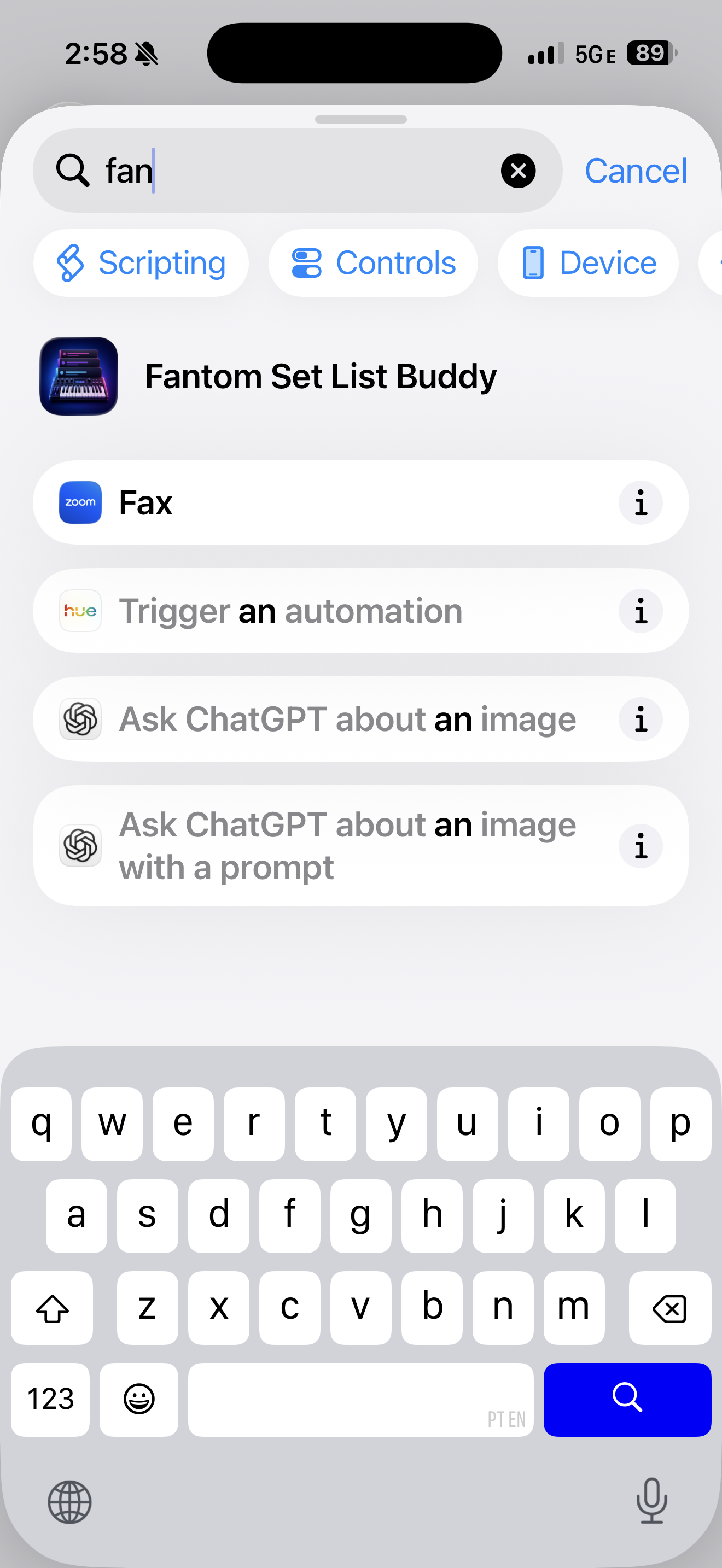
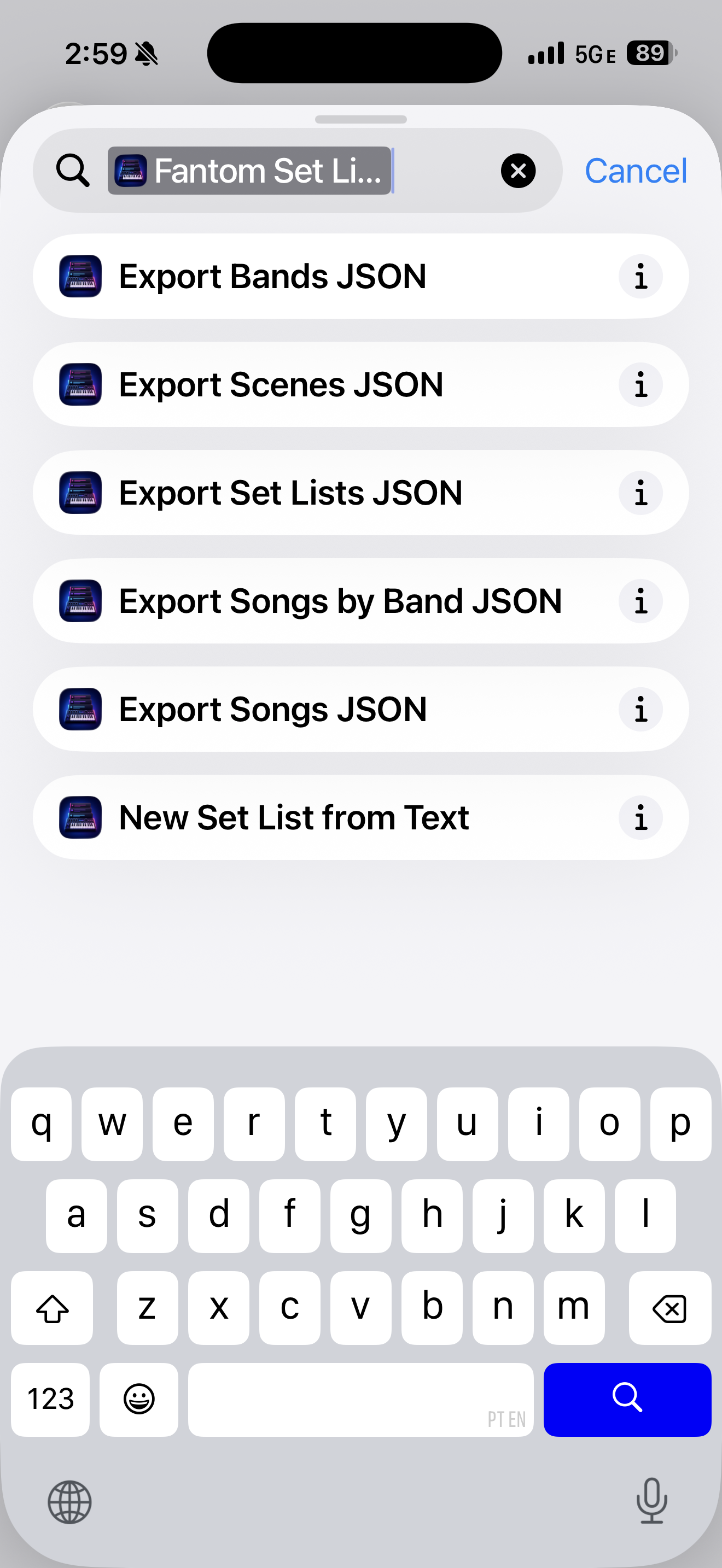
The main action is New Set List from Text: pass the set list as text (and optionally a name or a file). With a backup open, Shortcuts opens the first empty slot and fills Paste text when you supplied text. You still tap , fix rows on Review, and create the set list yourself.
Example — Text from Apple Intelligence
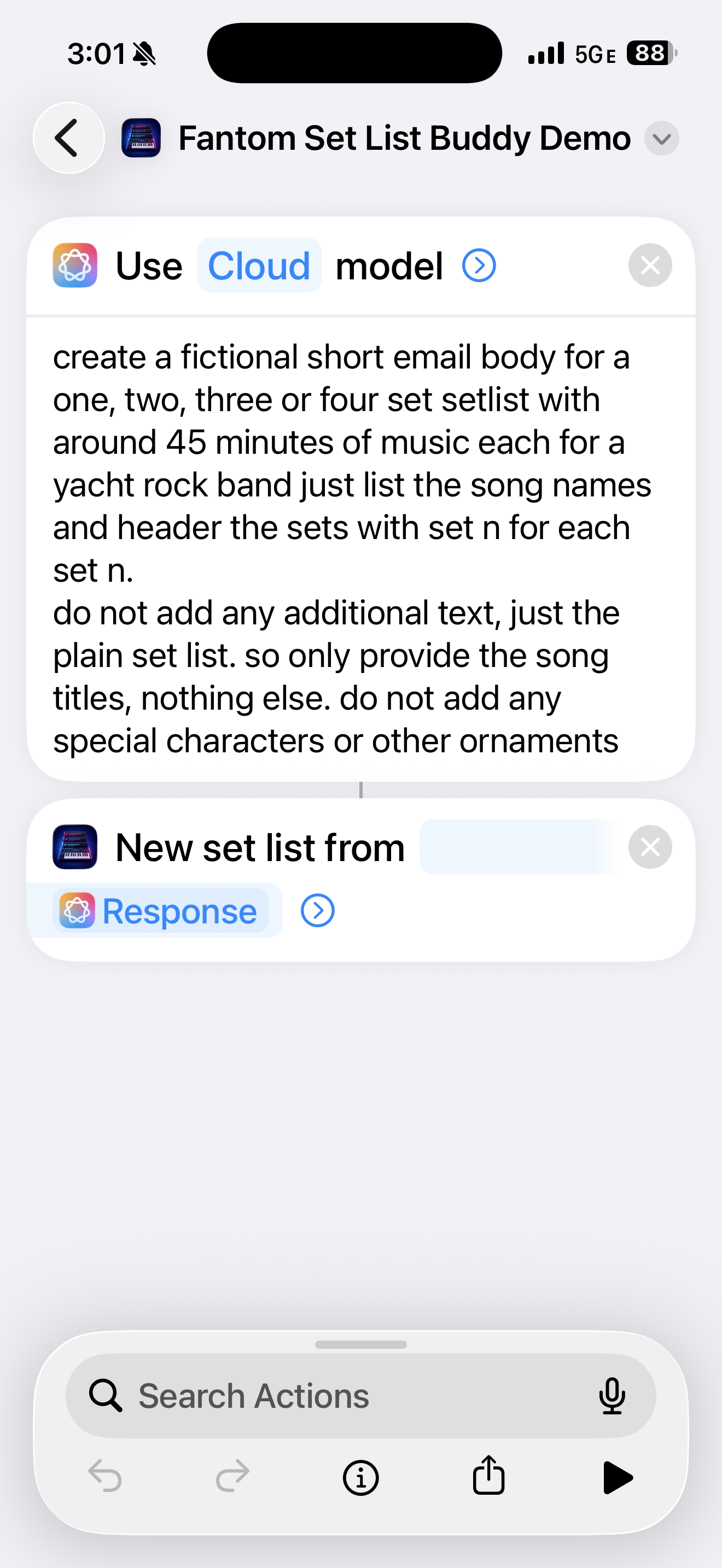
You can ask on-device or Cloud Intelligence for a plain set list, then hand that Response straight to New Set List from Text. The app never reads Mail or Messages on its own; text arrives through Shortcuts or Share. On iOS you can also Share plain text or a .txt / .csv from another app and choose Import into Fantom Set List Buddy.
Example — Pick from your Repertoire
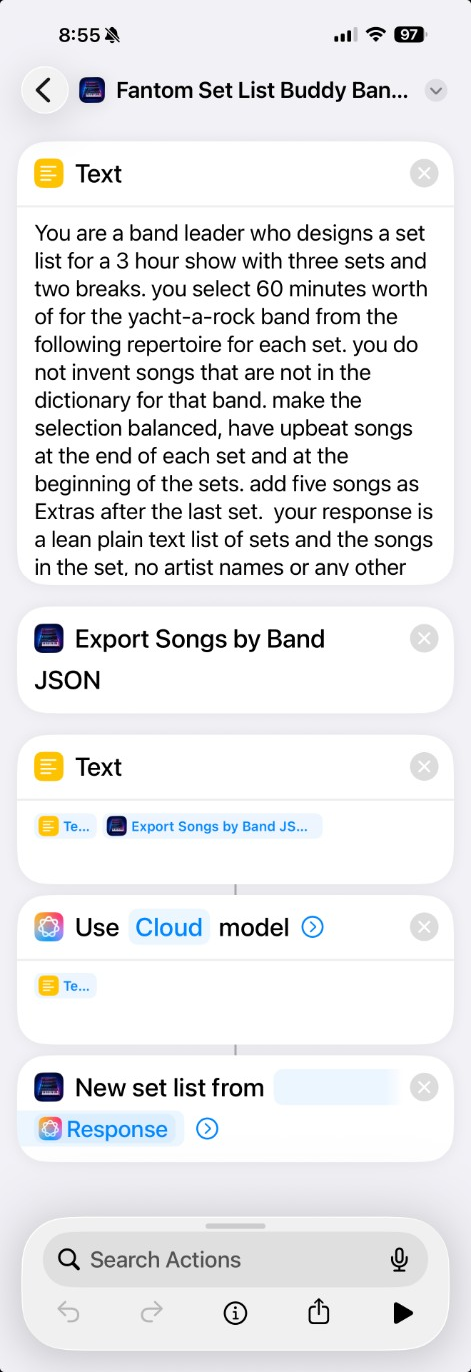
Use a list of songs from your band’s repertoire in a prompt you provide to the Apple Intelligence on your iPhone or iPad (Macs do not provide this feature, unfortunately). Note that JSON is a format Large Language Model (LLM) AIs love to digest, but they are a bit difficult to read by a person.