Home / Introduction
Introduction
What the app is for, and the Backup → Import → Edit → Export → Restore loop.
Fantom Set List Buddy is for anyone who uses a Roland Fantom synthesizer workstation (Fantom 6 / 7 / 8 including EX, or Fantom 06 / 07 / 08). Elsewhere we simply call it the Fantom.
You edit set lists (Scene Chains on the Fantom) offline: back up to a USB stick, import into the app, change the running orders, export a new folder, then Restore on the keyboard and power-cycle.
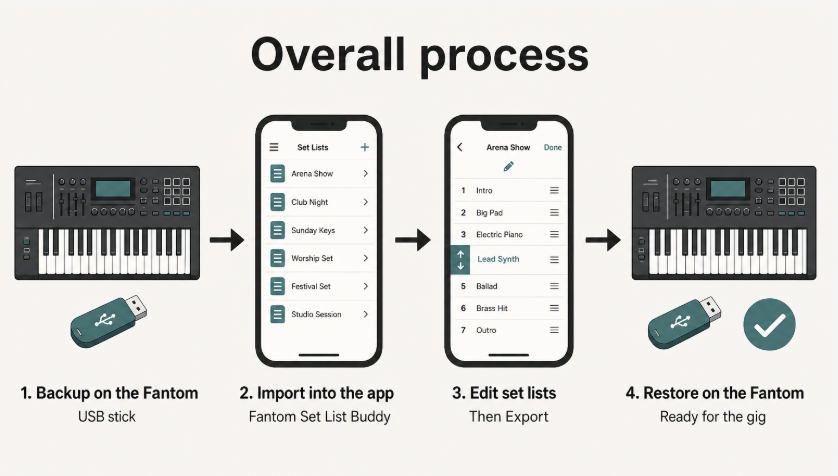
The loop
- Backup on the Fantom — MENU → UTILITY → BACKUP. Turn INCLUDE PAD SAMPLE and INCLUDE KBD SAMPLE off for the fastest copy when you only need set lists.
- Import the backup into the app from USB or a folder.
- Edit set lists, markers, and cues.
- Export a new Restore folder to USB or Files.
- RESTORE on the Fantom, then power-cycle.
Scene names, tones, and keyboard splits stay as they were in the backup. This app is for set list management, not a full Fantom editor. Change scenes on the keyboard, then take a new backup if you want the app to see those updates.
You work with one open backup at a time. Edits write as you go. Use  Undo if you want to step back through this session.