Home / Getting started
Getting started
From a Fantom backup on a USB stick to your first edit and a Restore-ready export.
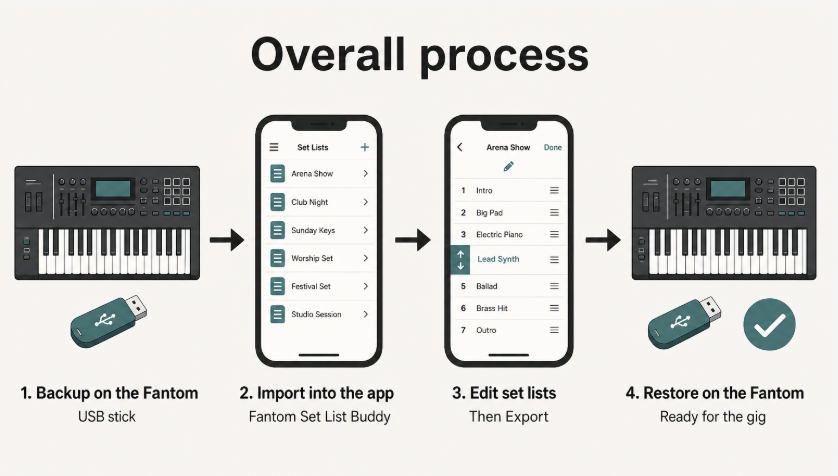
Start here the first time you use the app on a real device: make a backup, import it, try one edit, then export for Restore.
Backup on the FantomUSB MEMORY port, UTILITY → BACKUP, sample options.Import a backupUSB Stick or Folder into the app.Your first editOpen a set list and move a song.Export and RestoreNew folder → UTILITY → RESTORE.